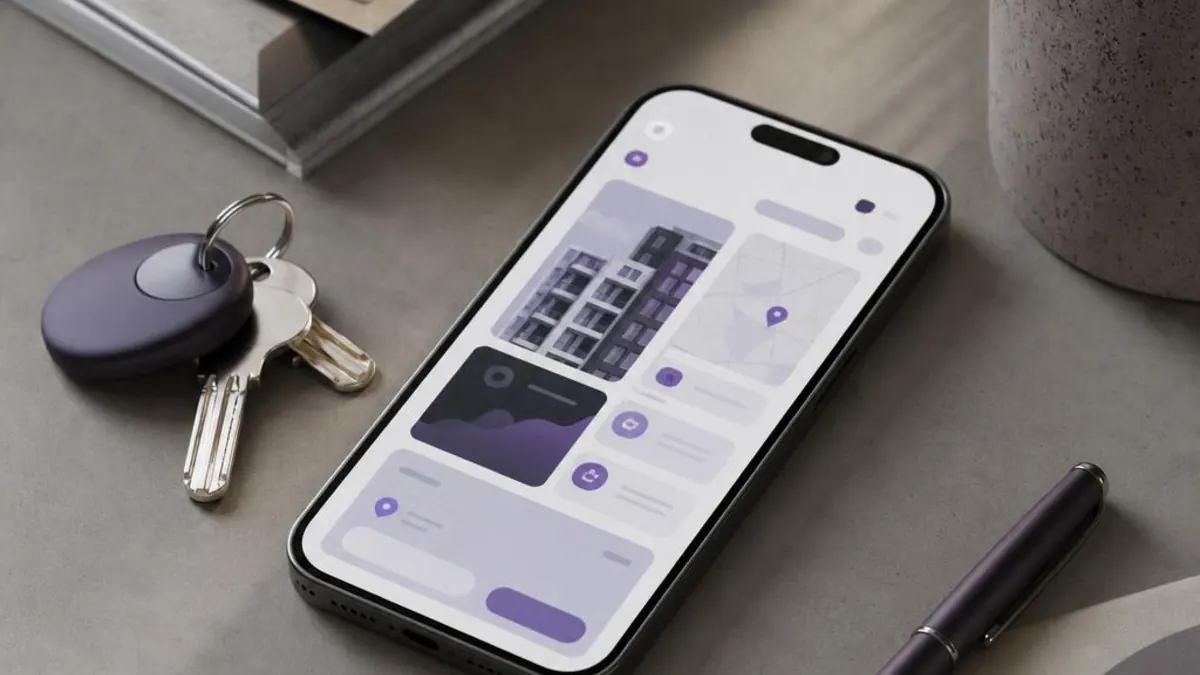
Guests increasingly book on their phones: according to the Federation of the Hotel Industry of Romania (FIHR), quoted by Radio Romania International, more than 75% of nights are booked on mobile devices. The work around a short-term rental is moving to the phone too, from finding a manager to the cleaning team or a tradesperson for a repair. The KeyBid app, available for iPhone and iPad on the App Store and for Android on Google Play, connects owners, property managers, and cleaning and maintenance companies. This guide explains what each role sees, how to add a property, how credits work and what to check before you start working with someone.
What the KeyBid app is and where to find it
KeyBid is a short-term rental platform that connects property owners with property managers and with cleaning and maintenance companies. The app uses the same account as the KeyBid website: you sign in with the same email and password, and your properties, credits and unlocked contacts are the same on your phone and your computer. The interface is available in Romanian, English, Spanish and Greek.
| Where to find it | Devices | What to know |
|---|---|---|
| App Store | iPhone and iPad | Requires iOS or iPadOS 15.1 or later |
| Google Play | Android devices | The same account and the same features as the iPhone and iPad version |
| The KeyBid website | Any browser, on a computer or a phone | The same account; this is also where you find KeyBid Puls and the KeyBid ROI Calculator extension |
You create your account in four steps:
- Choose your role and country. The country sets the market you work in: you only see properties and partners in the same country.
- Complete your profile. Enter your name, phone number, the cities you work in, your preferred collaboration type and a password of at least 8 characters. Owners add how many properties they have; managers and service companies add their years of experience, the number of properties they work with and whether they work as an individual or through a company.
- Add your professional link. Managers enter a link to their Airbnb or Booking.com profile, and cleaning and maintenance companies a link to their portfolio or website. For these roles, the field is mandatory.
- Confirm your email and phone. First you enter the code sent to your email, then the code sent by SMS. Once confirmed, you land on your role’s dashboard.
The four roles: whom you find and who finds you
Each role has its own dashboard. Without a filter you see every city in your country; with the city filter you narrow the list to the areas you work in.
| Role | Whom you find | What you add |
|---|---|---|
| Owner | Property managers, cleaning companies and maintenance companies | Your properties, with photos and amenities |
| Property manager | Owners’ properties, cleaning companies and maintenance companies | Your experience, the properties you manage and your Airbnb or Booking.com profile |
| Cleaning company | Owners’ properties and property managers | Your experience, the properties you clean and your portfolio or website |
| Maintenance company | Owners’ properties and property managers | Your experience, the properties you maintain and your portfolio or website |
Before unlocking you see the details that help you choose, without contact details. A property card shows the photos, title, city, property type, amenities and the owner’s preferred collaboration type. A manager’s or service company’s card shows the city, the number of properties they work with, their years of experience and their preferred collaboration type: “Fixed Amount”, “Commission” or “Fixed Amount or Commission”. Those just starting out have the “NEW” label instead of years of experience.
After unlocking you get the person’s name, phone number and email address, plus, for managers and service companies, the link from their profile. The card details are self-declared by each user, so confirm them in your first conversation, using the checklist in the section on checks.
For owners: how to add a property
From the owner dashboard you add a property through a form with five fields. Listings do not use credits, so you can add every property you own.
- The title, between 5 and 40 characters, for example “Sea-view studio in Mamaia Nord”. The title cannot contain contact details: the form rejects titles with more than one digit, email addresses or website addresses.
- The city and property type. You choose the type from a list of 12 options, from studios and studio apartments to 1, 2, 3 or 4+ bedroom apartments, penthouses, attic apartments, lofts, duplexes, houses and villas. The number of bedrooms comes from the type, so you do not need to put it in the title.
- Amenities. You tick what the property has from 12 options: parking, balcony, terrace, garden, pool, lift, furnished, dishwasher, equipped kitchen, and sea, mountain or city view. The card shows the first four, followed by the number of the others.
- Photos: at least one and at most 6, up to 5 MB each. Photos go through an automatic content filter, and rejected ones are not published. Choose the first photo carefully: it is the one that appears first on the card.
Get ready for the first calls. Managers see the collaboration type you chose on your card, so pick the one you will genuinely accept. Also prepare answers to the questions that come up almost every time: when the property is available from, whether it has a classification certificate and who pays for consumables, repairs and cleaning.
Once published, your property appears in the lists of managers and service companies in your country, and you can edit its details at any time from your dashboard. How working with a manager unfolds, step by step, is set out on the page for owners.
For managers: from the card to your first offer
In the manager dashboard you see owners’ properties and cleaning and maintenance companies. Before you use a credit, read the card carefully: the city, the property type, the amenities and above all the owner’s preferred collaboration type. If you only work on commission and the owner prefers a fixed amount, the conversation starts from a gap in expectations that you should know about in advance.
Prepare your first call. The owner does not know you, so your first call needs to answer three questions: which services you include, what they cost and how you report results. Have your Airbnb or Booking.com profile to hand, a few examples of properties you manage and a revenue estimate you can explain using data for the area.
Use contact details only for the collaboration. The phone number and email you receive when you unlock are personal data. Use them to discuss that property, and for later promotional messages, such as a newsletter, ask for the person’s consent first. The General Data Protection Regulation requires that data collected for one purpose is not further processed in a way that is incompatible with that purpose.
For cleaning and maintenance companies
Cleaning and maintenance companies have two kinds of client in the app: owners who manage their own property and managers who need a team for several properties. The list shows owners’ properties, with their type and amenities, and property managers; with the city filter you see only those in your areas.
From a cleaning company, a manager expects on-time turnovers between guests, photo reports after every clean and availability at weekends and in high season. For a maintenance company, what counts is the response time for emergencies, such as a burst pipe or a jammed lock, and small repairs done between two bookings. Prepare a clear offer: the price per job or per month, what it includes and how you report the problems you find.
How cleaning and maintenance staffing works in 2027, with contracts and costs, is covered in our guide to short-term rental cleaning and maintenance. Registration for companies is described on the page for service providers.
Credits: how unlocking works
In the app you only pay for credits, and one credit unlocks one contact. When you tap “Unlock Contact”, the details appear on the card, and after 5 minutes the contact moves to the “Unlocked Contacts” section, where you can find it at any time.
- Packs, not a subscription. In the app you buy the Basic pack, with 4 credits, the Premium pack, with 7 credits, and the Elite pack, with 15 credits. You pay once, through the App Store or Google Play, and see the price before you confirm.
- One account. Credits go into your KeyBid account, so you use them in the same way in the app and on the website.
- No double charges. An unlocked contact stays in your account, and you do not pay for the same contact a second time.
- The other party is notified. The person whose contact you unlocked may receive an email, depending on their notification settings.
The examples below are hypothetical and only show how to choose a pack based on the number of contacts you need:
| Situation | Contacts to unlock | Suitable pack |
|---|---|---|
| An owner who wants to talk to 3 managers and a cleaning company | 4 | Basic |
| A manager who wants to call 5 owners and 2 maintenance companies | 7 | Premium |
| A cleaning company entering a new city that wants to contact 10 managers and 5 owners | 15 | Elite |
A few carefully chosen contacts are worth more than many unlocks made in a hurry. Read the card, compare the city and collaboration type with what you are looking for and call the same day, while interest is fresh.
What to check before you start working together
Unlocking gives you a phone number, not a guarantee. Before you hand over the keys or take on a property, go through the list below:
| What to check | How | Why it matters |
|---|---|---|
| The Airbnb or Booking.com profile | Open the link you received when unlocking and read the reviews of the listings they manage | Guest reviews show how they work in practice |
| The card details | Ask how many properties they have now, in which areas and for how many years they have been working | They are self-declared at registration |
| References | Ask for two or three references from current clients and talk to them | You learn how they communicate and solve problems |
| What the price includes | Ask for a written offer, with the commission or fixed amount and the services included: cleaning, linen, consumables, check-in, messaging, pricing, small repairs | Two offers with the same percentage can cover very different services |
| Legal obligations | Agree in writing who prepares the classification documents, who handles guest check-in formalities and who issues the invoices | Responsibilities need to be clear before the first booking |
| Account access | On Airbnb, add the manager as a co-host with full access and the cleaning company with calendar-only access | You do not share your password, and as the listing owner you are responsible for all co-hosts |
| The contract | Put the services, price, term, notice period, key handover, damage and reporting in writing | A verbal agreement does not help when a problem arises |
What Order 948/2026 requires for classifying apartments is covered in our analysis of the new classification rules, and how to split tasks and account access within a team in our guide to scaling your portfolio. An illustrative example of a collaboration between an owner in Mamaia and a specialist manager is set out in our Constanța case study.
KeyBid puts you in touch; the agreement is yours. Under its terms of use, KeyBid facilitates connections between owners, managers and service providers. You agree the contract, service prices and payments directly with each other, and KeyBid does not process payments between users. That is why the checks above remain the responsibility of each party.
The app, the website, the extension and Puls: what to use for what
The app is only one of KeyBid’s tools, and each one answers a different question:
| Tool | Where you use it | What it is for |
|---|---|---|
| The KeyBid app | iPhone, iPad and Android | Find partners, add properties and unlock contacts wherever you are |
| The KeyBid website | Any browser, on a computer or a phone | The same account and the same features, on a bigger screen |
| The KeyBid ROI Calculator extension | Chrome or Firefox, on a computer | The estimated yield of a flat for sale, shown directly on the listing, on Storia, Imobiliare.ro and OLX in Romania, Spitogatos in Greece and Idealista in Spain |
| KeyBid Puls | The KeyBid website | Nightly rates by zone and property type, upcoming events and the weather forecast |
The extension helps you before a purchase, and Puls once the property is hosting guests. The details are in our guide to the KeyBid ROI Calculator extension and in our weekly pricing routine in KeyBid Puls.
Your data in the app
Your contact details do not appear on the card: only those who unlock them can see them, and you may receive an email when that happens, depending on your notification settings. On the App Store listing, the developer states that the app collects, for app functionality, data linked to your identity: purchase history, name, email address and phone number, uploaded photos, and identifiers such as user ID and device ID.
You can delete your account from the settings, with the “Delete Account” option, which you confirm by typing “DELETE ACCOUNT” in capitals. How your data is processed is explained in the privacy policy.
Common mistakes
- You choose your role in a hurry. Your role decides whom you see and who sees you, so choose it based on the main service you offer.
- You leave your profile half-finished. Your cities, experience, number of properties and collaboration type are all the other side sees before using a credit.
- You put contact details in the title. The form rejects the title, and your details reach whoever unlocks your contact anyway.
- You unlock contacts in cities where you do not work. Use the city filter before you spend a credit.
- You call without reading the card. The city, property type and preferred collaboration are already on the card; use the call for what is not written there.
- You accept a collaboration without a contract. Without a written agreement, you have nothing to fall back on when a problem arises with a guest, damage or an invoice.
- You hand over your Airbnb password. Use co-host access, with the right level for each person.
- You use unlocked contacts for advertising. The details you receive are for the collaboration you discussed; for promotional messages you need the person’s consent.
Frequently asked questions
Is the KeyBid app the same on iPhone and Android?
Yes. The iPhone and iPad version and the Android version have the same roles and the same features, and the account is the same, so you can start on one device and carry on on another.
How much does the app cost me?
Downloading the app, creating an account and adding properties cost nothing. You only pay when you unlock a contact: 1 credit each, from packs of 4, 7 or 15 credits. You see the price of each pack on the App Store or Google Play before you confirm.
What do I get when I unlock a contact?
You get the person’s name, phone number and email address, plus, for managers and service companies, the link from their profile. The contact stays in the “Unlocked Contacts” section, so you never pay twice for it.
Can I use the same account on my phone and my computer?
Yes. The app uses the same account as the KeyBid website: you sign in with the same email and password and find the same properties, credits and unlocked contacts.
Sources
- App Store – KeyBid: Short Term Rental Platform (version 1.0.7, 31 December 2025)
- Google Play – KeyBid (updated 23 December 2025)
- Radio Romania International – Trends in Romanian tourism (30 July 2026, in Romanian)
- Airbnb Help Center – What co-hosts can do
- EUR-Lex – Regulation (EU) 2016/679 (General Data Protection Regulation)