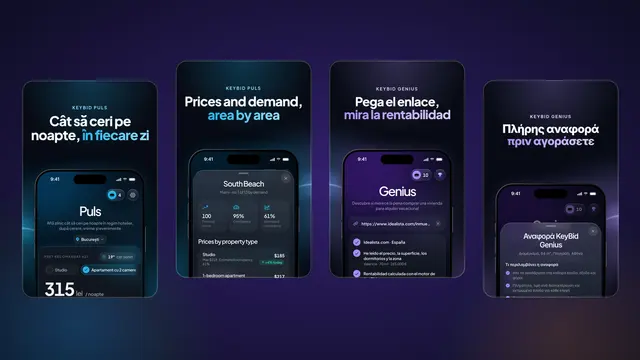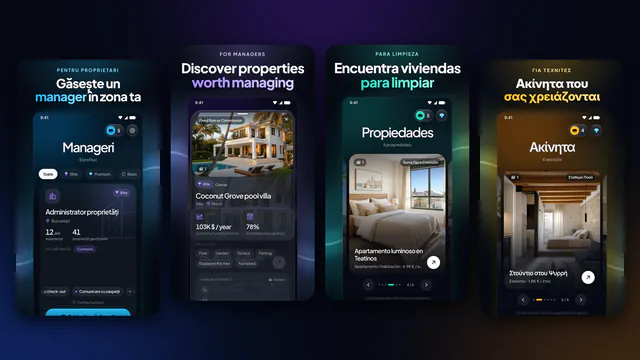
Version 1.1.3 of the KeyBid app takes KeyBid Puls out of the app and onto your iPhone screen. A widget shows today’s recommended price per night on your Home Screen or Lock Screen, and the KeyBid Puls and KeyBid Genius reports you order appear on the Lock Screen and in the Dynamic Island while they are being prepared. The new features are for owners and property managers. The version reached the App Store on 27 October 2026, one day after version 1.1.2. Below you will find what each new feature does, how to add the widget and what to check if you cannot see it.
What version 1.1.3 brings
The rest of the app works as in version 1.1.2: the Puls and Genius tabs, PDF reports for 1 credit and unlocked contacts stay the same. Version 1.1.3 adds two things you can see without opening the app.
| New feature | What it shows you | Where you see it |
|---|---|---|
| The KeyBid Puls widget | Today’s recommended price per night for the city and property type you follow in KeyBid Puls | The Home Screen, in the small or medium size, and the Lock Screen |
| Reports in preparation | The KeyBid Puls or KeyBid Genius report you ordered, while it is being prepared, and the moment it is ready | The Lock Screen and the Dynamic Island |
What the previous version brought, from area prices to the analysis of a home for sale, is in our article on KeyBid 1.1.2.
The KeyBid Puls widget: today’s price without opening the app
The widget shows today’s recommended price per night for the city and property type you follow in KeyBid Puls, from studios to larger apartments. It is the price recommended by KeyBid Puls: it starts from the market rate for the season and is adjusted daily for the weather and the events in town.
You have three ways to show it:
- Small, on the Home Screen. It takes the space of four app icons.
- Medium, on the Home Screen. It takes the space of eight icons, across the full width of the screen.
- On the Lock Screen. You see the price when you pick up your phone, without unlocking it.
A simple habit: check today’s recommended price in the morning, compare it with the price in your Airbnb or Booking.com calendar and decide whether to adjust it. We explain how to do this every week, with the city’s areas and events, in our 15-minute pricing routine.
The widget needs your account. The city and property type come from KeyBid Puls, so sign in to the app with your owner or manager account after you install the update.
How to add the widget to your Home Screen
These are the steps from Apple’s guide to widgets:
- Touch and hold a widget or an empty area of the Home Screen until the apps jiggle.
- Tap “Edit” in the upper-left corner, then “Add Widget”.
- Choose KeyBid from the list, pick the small or medium size and tap “Add Widget”.
- Tap “Done”.
How to add it to your Lock Screen
- Touch and hold the Lock Screen until “Customize” appears, then tap “Customize”.
- Tap “Add Widgets”.
- Tap the KeyBid widget or drag it into the widget area.
- Swipe down from the widgets list, then tap “Done”.
If the widget area on your Lock Screen is full, remove one of the existing widgets first.
Reports you can follow on the Lock Screen and in the Dynamic Island
When you order a KeyBid Puls or KeyBid Genius report in the app, you no longer need to keep the app open to see when it is ready. The report appears as a Live Activity, a box that updates itself:
- While it is being prepared. On the Lock Screen you see that the report is being prepared and how much time has passed since you ordered it. On iPhones with a Dynamic Island, the same information appears at the top of the screen, even while you use other apps.
- When it is ready. The message changes by itself, without you opening the app. Tap the Live Activity and the report opens. The final state stays on the Lock Screen for up to 4 hours.
- If it cannot be created. The Live Activity tells you that the report could not be created, and the credit goes back to your account.
In the Dynamic Island, touch and hold the Live Activity to expand it and swipe up to collapse it. Only some iPhone models have a Dynamic Island; on the others, the Live Activity appears on the Lock Screen. A report is usually ready in 1–3 minutes, and as before you find it in “My reports”, in “Profile”, and in your email.
If you do not want Live Activities for KeyBid, turn them off in Settings › Apps › KeyBid › Live Activities. On iOS 17 or earlier, KeyBid appears directly in the list in Settings.
Who gets the new features
The widget and the reports you follow on the Lock Screen are for owners and managers, like the Puls and Genius tabs. Cleaning and maintenance accounts keep the tabs they had. The full guide to roles and credits is in the article The KeyBid app for iPhone, iPad and Android.
On Android, the current version is still 1.1.2, with the Puls and Genius tabs, the daily price and PDF reports.
How to install the update
On iPhone, apps from the App Store update automatically by default. If you want to install version 1.1.3 manually, or the update has not started on its own:
- Open the App Store and tap the “My Account” button or your photo at the top of the screen.
- Tap “App Updates”.
- Tap “Update” next to KeyBid.
On 28 October 2026, the App Store showed version 1.1.3, released on 27 October, and Google Play showed version 1.1.2. According to the App Store, version 1.1.3 requires iOS 16.4 or later. Your account, credits and unlocked contacts stay the same after the update.
Frequently asked questions
Does the widget use credits?
No. Credits are used for PDF reports and for unlocking contacts; the widget only shows today’s recommended price.
Why can’t I find KeyBid in the widgets list?
Check on the App Store that you have version 1.1.3 and sign in to the app with an owner or manager account. The widget shows the city and property type you follow in KeyBid Puls, and KeyBid Puls is part of owner and manager accounts.
Can I follow a report if my iPhone has no Dynamic Island?
Yes. The Live Activity appears on the Lock Screen, and you also find the report in “My reports” and in your email.
What happens if a report cannot be created?
The Live Activity shows that the report could not be created, and the credit goes back to your account. You can order the report again in the app.
Is version 1.1.3 also on Android?
As of 28 October 2026, no. Google Play showed version 1.1.2, which has the Puls and Genius tabs, the daily price and PDF reports.
Sources
- App Store – KeyBid (version 1.1.3, released 27.10.2026)
- Google Play – KeyBid (version 1.1.2)
- Apple Support – How to add and edit widgets on your iPhone
- iPhone User Guide – Access features from the iPhone Lock Screen
- iPhone User Guide – View Live Activities in the Dynamic Island on iPhone
- Apple Support – How to manually update apps from the App Store